A Practical Guide to Developing Cross-Platform Mobile Apps for Your Business
Learn how to develop cross platform mobile apps with this practical guide for SMEs. Discover the right frameworks, planning strategies, and deployment tips.
Jan 4, 2026
So, what exactly does it mean to "develop a cross-platform mobile app"? Think of it this way: you build one single application that works beautifully on both iPhones (iOS) and Android devices. It's built from one set of code. For you as a business owner, this isn't just a tech decision; it's a smart strategic move that can dramatically slash your development costs and timeline, getting your app in front of your entire audience much faster than the old-fashioned way.
Why a Cross-Platform App is a Game-Changer for Your Business
For many entrepreneurs, the thought of building a mobile app brings to mind scary price tags and development projects that drag on forever. The traditional route—building one app for Apple's App Store and a completely separate one for Google's Play Store—is often too expensive and slow for a small or medium-sized business. This is the exact headache cross-platform development was created to solve.
Imagine writing a single document that instantly formats itself perfectly for any computer or printer. You build your app once, and it just works everywhere. This efficiency translates directly into real, tangible benefits for your bottom line.
The Real ROI of a Single Codebase
The most immediate win is the impact on your budget and timeline. Instead of funding two separate development teams, you're investing in one streamlined process. This isn't a minor saving; it's a significant advantage. For businesses in e-commerce, professional services, or SaaS, this approach can cut development costs by up to 40% compared to building two native apps. This magic is made possible by frameworks like Flutter and React Native, which allow a single codebase to be deployed seamlessly on both platforms.
The numbers don't lie. A recent report from Mordor Intelligence shows a massive surge in cross-platform adoption, with 60% of new SME apps choosing this route to maximize reach and minimize costs.
This financial efficiency frees up cash you can reinvest in other critical areas—like marketing your new app, providing excellent customer support, or developing your next big feature. It’s about working smarter, not harder, to grow your business.
Reaching Your Entire Audience From Day One
When you launch, you want to make the biggest impact possible. Going cross-platform means you don't have to make the tough choice: do we launch on iOS first, or Android? That decision can instantly cut your potential customer base in half.
A cross-platform strategy ensures you are present wherever your customers are, without delay. Whether they use an iPhone or a Samsung device, your app is available to them, creating a unified brand experience from the very beginning.
This broad, simultaneous reach gives your launch maximum momentum. You can gather feedback from a more diverse user base right away, helping you make smarter decisions for future updates.
Real-World Use Case (E-commerce): A boutique online clothing store can launch its app and immediately serve both iPhone and Android users, capturing sales from both markets without having to wait or invest double the amount.
Real-World Use Case (Professional Services): A consulting firm can offer its booking and client portal app to all clients, regardless of their phone, improving accessibility and client satisfaction from the get-go.
Choosing Your Tech: React Native vs. Flutter
Okay, let's talk tech, but without the confusing jargon. The technology you choose will shape your entire project. It impacts your budget, how quickly you can launch, and how easy it is to add new features later on. Let's break down the two main players: React Native and Flutter.
Think of it like choosing an engine for a new car. Both will get you to your destination, but they have different strengths, handle differently, and require mechanics with different skills. Your job is to pick the engine that best suits the journey your app is about to take.
A Look at React Native: The Community Powerhouse
React Native, which comes from the team at Meta (Facebook), is incredibly popular for one simple reason: it uses JavaScript. For a non-technical business owner, this is great news. It means there's a huge pool of developers who can build with it, which often makes it faster and more affordable to find the right team for your project.
It’s particularly good at creating apps that feel almost exactly like "native" apps (those built specifically for one platform). This is because it uses the actual user interface (UI) building blocks of iOS and Android. If your app idea has a familiar, standard interface—like a straightforward e-commerce shop or a booking app for a local service—React Native is a reliable and solid choice.
The trade-off? Because it relies on these native components, getting a pixel-perfect, identical look across both Apple and Android devices can sometimes require a bit of extra work, which might add a little time to the project.
Understanding Flutter: The Performance Engine
Flutter is Google's answer to cross-platform development, and its main strengths are top-notch performance and visual consistency. Flutter doesn't use the phone's native UI components. Instead, it comes with its own beautiful, highly customizable building blocks (called widgets). This means what your designer creates is exactly what users will see on every single device. Guaranteed.
Here's a quick visual guide to help you decide if a cross-platform approach is the right first step for your business.
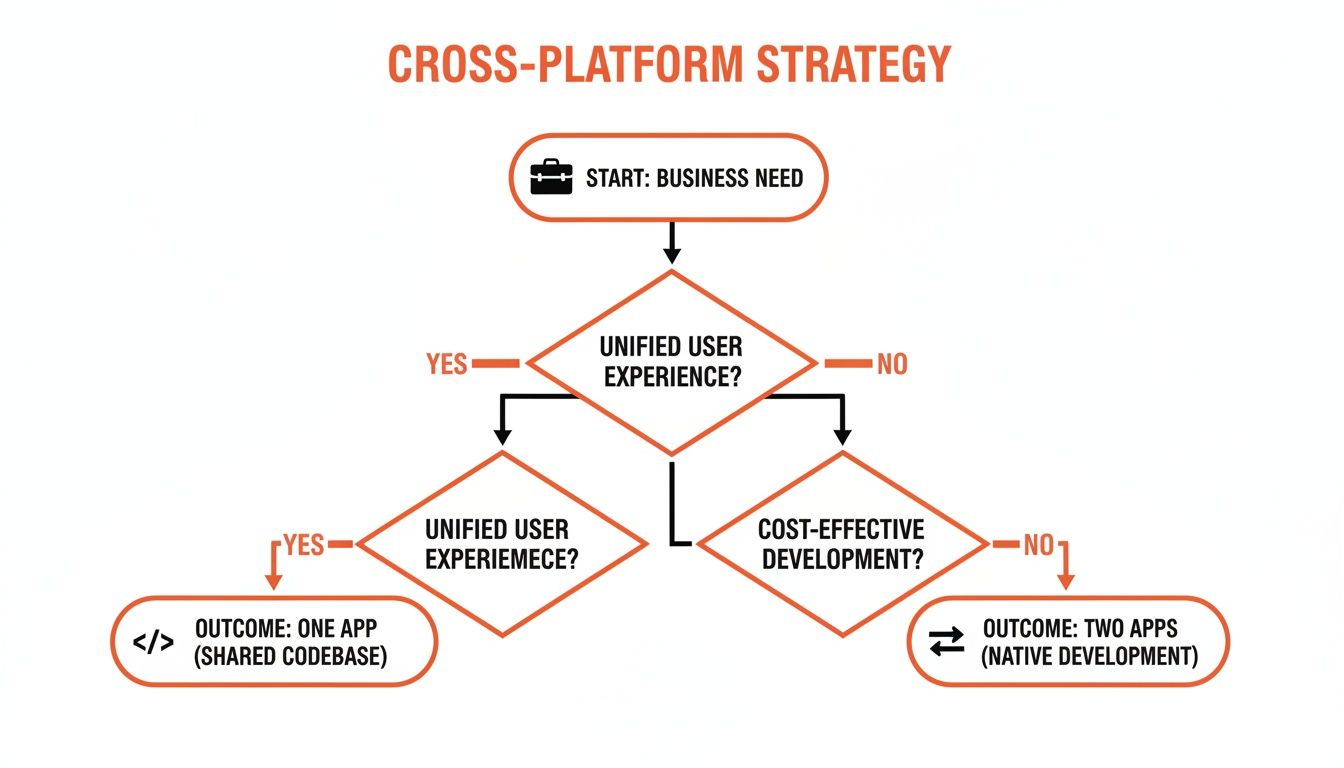
The key takeaway is that a unified strategy streamlines everything from development to marketing, making it a powerful choice for businesses focused on efficiency.
One of Flutter's most loved features is "hot reload," which lets developers see their code changes reflected in the app almost instantly. This dramatically speeds up the development process, especially when polishing the look and feel. For a small business that needs to move fast and adapt based on early user feedback, this is a massive advantage that saves real time and money.
While the Flutter developer community is a bit smaller than React Native's, it's growing incredibly fast. For a deeper dive into the specifics, it's worth exploring the ongoing comparison between Flutter and React Native.
Key Takeaway: Choose React Native for its vast developer community and near-native feel, especially for simpler apps where finding talent quickly is a priority. Opt for Flutter when you need guaranteed visual consistency, high performance for slick animations, and faster development cycles.
A Quick Framework Comparison for Business Owners
To make the choice even clearer, here's a business-focused look at how these frameworks stack up.
Framework | Best For | Key Advantage for SMEs | Potential Drawback |
|---|---|---|---|
React Native | Apps with standard UI, content-heavy apps (like blogs or news), and projects needing to find developers quickly. | Larger talent pool makes hiring faster and potentially more affordable. | Achieving 100% pixel-perfect consistency across devices can require extra tweaks. |
Flutter | Highly branded apps with custom designs, apps with complex animations, and projects where speed of iteration is critical. | "Hot reload" feature drastically speeds up UI development, saving time and money on updates and bug fixes. | The developer community is smaller than React Native's, though it is growing very rapidly. |
Xamarin | Businesses already heavily invested in the Microsoft ecosystem (e.g., using .NET and C# for their other software). | Seamless integration with Microsoft tools and a shared logic layer across platforms. | Can have a larger app size and a smaller open-source community for support compared to the others. |
This isn't about finding a "winner," but about matching the right tool to your specific business needs.
While these frameworks are fantastic, some businesses just need to get a simple idea to market as fast as possible. In those cases, it's worth understanding the world of low-code and no-code platforms, which offer an even faster path to launch.
Turning Your App Idea Into a Solid Blueprint
A brilliant app idea is the spark, but a solid plan is the fuel that will actually get you launched. Before a single line of code is written, you need a blueprint. This is the critical planning phase where your vision is translated into a practical, actionable strategy that will save you a fortune down the road.
The biggest mistake entrepreneurs make is trying to build every feature they can dream of at once. This temptation, known as "feature creep," is the fastest way to blow your budget on things your customers might not even want. The smarter path? Define your Minimum Viable Product (MVP).
Defining Your Minimum Viable Product (MVP)
An MVP isn't a cheap or unfinished version of your app. It’s the simplest, most streamlined version that solves one core problem for your ideal customer, and solves it well. It’s the absolute essential feature set that delivers immediate value. By launching with a focused MVP, you get your product into the hands of real users quickly, allowing you to learn from their behavior instead of guessing what they want.
Here’s what an MVP might look like in the real world:
For a SaaS app: A project management tool’s MVP could focus solely on creating tasks and assigning them to team members. Time tracking, reporting, and integrations can come later.
For an e-commerce app: This could be as simple as product browsing, a basic search, and a secure checkout. Forget loyalty programs or advanced filters for now.
For a professional services app: A consultant’s MVP might just be a service listing and a calendar for booking appointments. Invoicing and client dashboards are features for a future update.
The goal of an MVP is to get the most learning with the least amount of effort. It’s about testing your core business idea—"Will people actually use this to solve their problem?"—before you invest heavily in perfecting it.
Mapping The User Journey and Collecting Feedback
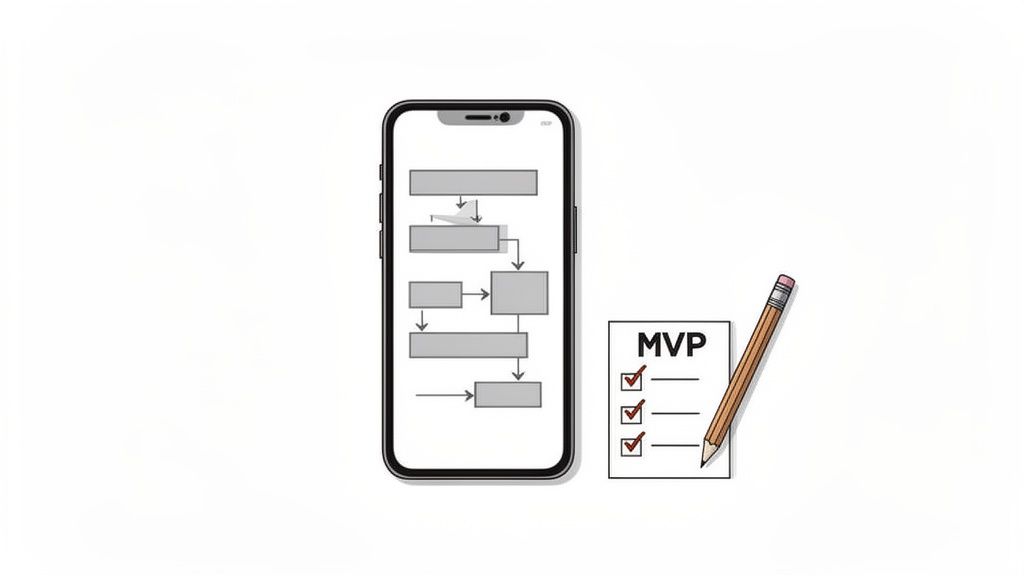
Once you've decided on your MVP features, you need to visualize how people will actually use them. This is where user journey mapping comes in. You don't need fancy software; a simple flowchart on a whiteboard will do. Just map out the essential steps a user takes, from opening the app to achieving their goal. For a deeper dive, our guide on the fundamentals of UX/UI design is a great starting point.
Planning for feedback from day one is also critical. Don't wait until launch to figure out how you'll listen to your users. Building a simple feedback mechanism right into your MVP creates a direct channel to your audience. For example, using a tool like Weavely.ai, you can easily create and embed a simple survey or feedback form. This gives you the insights you need to make smart decisions for your next development phase, ensuring you're building an app your customers truly want.
For a comprehensive guide that takes you through every step, from concept to a market-ready application, explore how to build a mobile app from idea to launch.
Getting Into the Core Development Work
This is where your blueprint becomes a real, working app. If you're not a technical founder, this part can feel like a black box. The goal here is to demystify it so you can have productive conversations with your development team.
First, let's talk about app architecture. Think of it as the foundation and frame of a house. If the foundation is weak, you'll be dealing with problems for years. In the app world, a solid architecture means your app is stable, scalable (it can grow with you), and easy to update without needing a complete rebuild. Getting this right from the start saves you a fortune in future maintenance costs.
Then there's state management. In plain English, this is just how your app remembers things—like what’s in a customer's shopping cart or whether they’re logged in. Good state management ensures the user experience is smooth and consistent, even if they switch between screens or briefly close the app.
Tapping Into Your Phone's Native Features
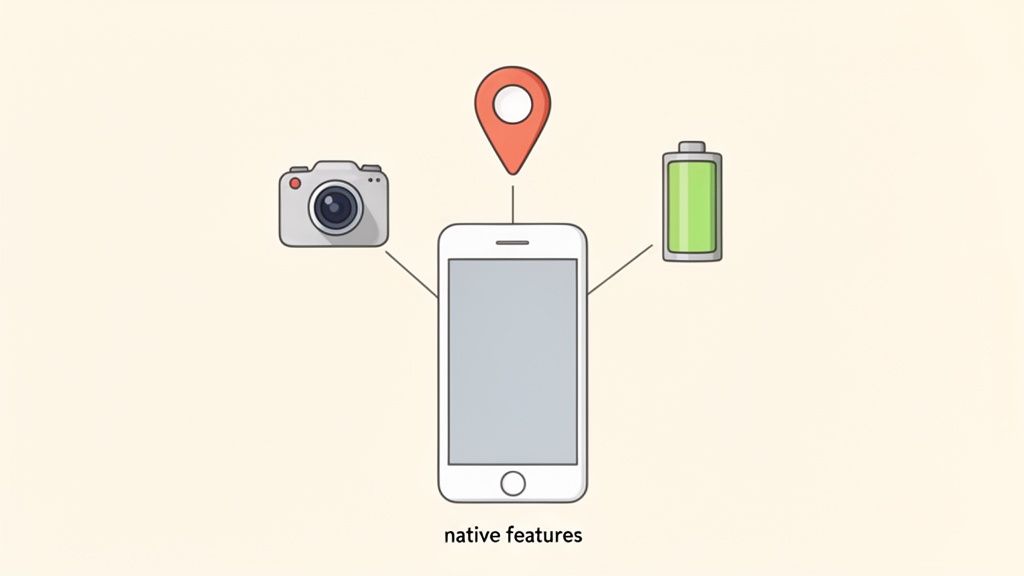
One of the biggest advantages of a mobile app is its ability to use a phone's built-in hardware. This is what makes an app feel truly useful and integrated, not just like a website squeezed onto a small screen.
Here are a few real-world examples of how businesses can use native features:
An e-commerce app can use the phone's camera as a barcode scanner for quick price checks in-store or to let customers search for a product just by taking a photo of it.
A local service business, like a landscaping company, can use GPS to show clients exactly when their team will arrive for an appointment.
A SaaS company's app could send push notifications to alert users about important updates or when a team member mentions them in a comment.
These features create a richer, more convenient experience that keeps people engaged. According to research, personalized push notifications alone can boost user retention by up to 10x. In today's market, where apps are a key touchpoint, these integrations are essential for building a loyal user base.
Putting Performance and User Experience First
Finally, let's talk about performance. Nothing will get your app uninstalled faster than slow load times, constant freezing, or a battery that drains in an hour. Performance isn't just a feature; it's the foundation of a good user experience.
A one-second delay in mobile load times can impact conversion rates by up to 20%. For a small business, that’s a direct hit to your sales. Your app simply has to be fast, responsive, and easy on the battery.
Your development team should be obsessed with optimizing images, streamlining code, and testing on a wide range of devices—not just the latest, most expensive models. This whole development phase is a massive part of the journey, and it's vital to understand what's involved. To see how this fits into the bigger picture, have a read of our guide on the product management life cycle. By prioritizing performance, you ensure the app you build is one that customers will not only download but actually enjoy using every single day.
From Testing and Deployment to Post-Launch Success
Building your app is a huge milestone, but don't celebrate just yet. Getting to the finish line means having a solid plan for testing, deployment, and everything that comes after. This final stretch is where a good app becomes a great one, ensuring you launch a polished product and set yourself up for long-term growth.
Think of this not as the end of the project, but as the beginning of your relationship with your users.
The first critical step is thorough testing. This isn’t just about making sure the app doesn’t crash. It’s about guaranteeing that every button, feature, and user journey works exactly as intended, on a whole range of devices—from the newest iPhone to older, budget Android phones. This phase is non-negotiable; your brand's reputation is on the line.
Mastering App Store Submissions
Once your app is polished and ready, it’s time to submit it to the Apple App Store and Google Play Store. This part can feel intimidating, as both platforms have strict guidelines that can lead to rejection if you're not careful. Preparation is everything here.
It's often the small things that get apps rejected, and they usually have nothing to do with bugs:
Incomplete Information: Is your app's description clear and compelling? Is your privacy policy linked and accurate? Are your contact details correct? Double-check everything.
Poor User Interface: Both Apple and Google value a clean, intuitive design. Apps that look unfinished or are confusing to navigate are often flagged.
Mentioning the Other Platform: A classic rookie mistake. Never mention "Android" in your Apple submission or "Apple" in your Google Play listing. It’s an instant red flag.
Navigating this process smoothly means reading the guidelines thoroughly before you submit. Get all your materials—screenshots, icons, descriptions, and privacy info—ready in advance. A rejection isn't the end of the world, but avoiding it saves you valuable time and gets your app into your customers' hands faster.
Your Strategy for Long-Term Success
Launching your app is just day one. The real work starts now, and it’s all about growth and user satisfaction. A successful post-launch strategy comes down to one thing: listening, learning, and improving. You need to know what’s working and what isn’t, right from the start.
Your first users are your most valuable source of truth. Their feedback is the blueprint for your app's future success. Actively listening and responding shows you care and builds a loyal community around your brand.
Start by monitoring key metrics. Keep an eye on things like daily active users, how long people spend in the app, and crash reports to get a clear picture of its health.
More importantly, give your users a direct line to you. Integrating simple feedback forms and surveys directly within the app is a powerful way to collect suggestions and bug reports. This continuous feedback loop is what will keep your app relevant, help you fix problems quickly, and ensure you’re building features your customers will actually use and love.
Got questions about building a cross-platform app? You're not alone. Venturing into app development for the first time brings up a lot of concerns. If you're weighing your options, you're probably wondering about the costs, benefits, and potential downsides.
Here are some straight answers to the questions we hear most often from business owners.
Will My App Feel 'Cheap' or Unprofessional?
This is a fair question and a common concern. A few years ago, cross-platform apps sometimes had a reputation for being a bit clunky or not quite fitting in with the look of iOS or Android.
But things have changed dramatically. Modern frameworks like React Native and Flutter have completely closed that gap.
Today, the technology is so advanced that it produces apps with fluid animations, responsive controls, and a polished feel that’s often impossible to distinguish from their native counterparts. For about 90% of business use cases—from e-commerce to service booking—a cross-platform app delivers a premium user experience without compromise.
How Much Does It Really Cost to Build?
While there's no single price tag for an app, one thing is certain: cross-platform development is significantly more budget-friendly than building two separate native apps. By writing the code once and deploying it on both iOS and Android, you can slash your initial development costs by up to 40%.
For a small business, that’s not just a minor saving. It’s often the difference between launching an app and shelving the idea entirely. It means one development team, one project timeline, and a much more efficient process from start to finish.
What Is the Realistic Timeline for a Project?
How long your app takes to build depends on its complexity. That said, the single-codebase approach naturally gets you to the finish line faster.
A simple app with a core set of features—what we call a Minimum Viable Product (MVP)—can often be designed, built, and ready to launch in as little as 3-4 months.
Building two separate native apps, on the other hand, could easily stretch to 6-8 months or more. Getting to market faster means you can start collecting user feedback, improving your product, and generating revenue much sooner. In a competitive market, that speed is a huge advantage.
