A Small Business Owner's Guide to Company Development Software
Discover company development software for Belgian SMEs: CRM, ERP, and AI tools to streamline operations and drive growth.
Jan 6, 2026

Are you drowning in spreadsheets, sticky notes, and overflowing email inboxes? You're not alone. For a growing business, the chaos of manual processes can quickly become your biggest enemy. Company development software is your secret weapon to fight back. Think of it not as a complex corporate system, but as a set of smart, affordable digital tools that connect all your business operations, helping everything from sales to project management run in perfect sync. This guide is designed to cut through the jargon and show you exactly how these tools can help you reclaim your time and focus on what truly matters: growth.
Your Business Is a Machine – This Is the Operating System
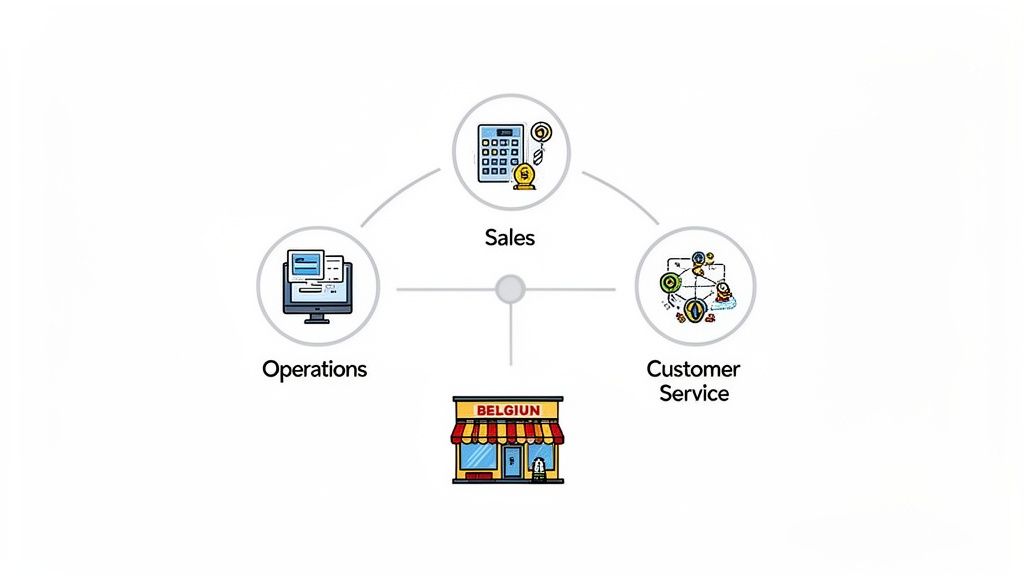
Imagine your business is a well-oiled machine. Sales brings in new customers, your operations team delivers the product or service, and your support staff keeps everyone happy. When you're just starting, you can manage these moving parts with pure determination. But as you scale, things get messy. Information gets lost, tasks are forgotten, and crucial customer details fall through the cracks. This is where company development software becomes your central operating system.
It's not one single application but a family of tools designed to solve specific business problems, making sure every part of your machine works together smoothly and efficiently.
Breaking Down the Digital Toolkit
So, what does this software actually do for you? Instead of a single, complicated solution, it’s a suite of specialised tools that handle different jobs. Each one is designed to replace a manual, time-consuming process with an automated, organised one.
This ecosystem of software typically includes tools for:
Managing Customer Relationships: Tracking every interaction so you never forget a detail, from the first sales call to ongoing support tickets.
Organising Projects: Planning tasks, assigning work, and monitoring progress to ensure deadlines are met without you having to chase everyone down.
Automating Marketing: Nurturing potential customers and engaging existing ones without you having to manually send every single email.
Connecting Your Team: Making sure information flows seamlessly between departments, so everyone is on the same page.
The Takeaway: The goal is simple: stop wasting precious hours on repetitive admin and start focusing on activities that generate revenue. The right software provides the structure to do just that.
More Than Just an Expense – It’s an Investment
For many business owners, the thought of new software brings up concerns about cost and complexity. It’s a valid worry, but it's time to shift that perspective. Investing in the right company development software isn’t a cost; it's a direct investment in your company's efficiency and your own sanity.
For instance, statistics show that businesses using dedicated project management software successfully complete 66% more projects. It’s about building systems that allow your business to run smoothly, even when you’re not there.
Actionable Example: A local professional services firm uses a simple CRM to remember client preferences and birthdays. This personal touch strengthens relationships and drives repeat business. An e-commerce shop in Antwerp uses an inventory tool to prevent costly stockouts, protecting their reputation and revenue during peak seasons.
These tools unify your team by creating a single source of truth. To get a feel for the foundation, it helps to understand what internal communication software is and how it ties everything together. In the following sections, we’ll explore the specific types of software that can solve your most pressing operational headaches.
Mapping the Essential Software for Business Growth
Diving into the world of company development software can feel like learning a new language full of acronyms like CRM and ERP. But behind the jargon are powerful tools designed to solve the real, everyday headaches that get in the way of growth. Let's break down the essentials, not by their technical names, but by the tangible business outcomes they deliver.
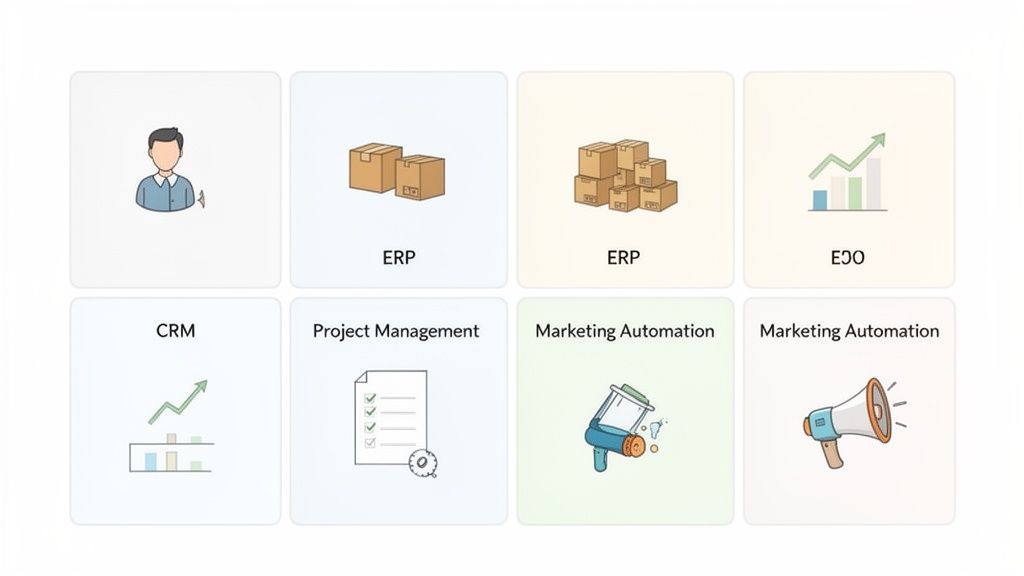
The market for these tools is booming. The Application Development Software market in the Benelux region alone is on track to hit US$3.84 billion in revenue by 2025, largely driven by small businesses demanding user-friendly tools that help them compete.
Think of each software category as a specialised member of your team, focused on optimising one specific part of your business.
Customer Relationship Management (CRM): Your Business's Perfect Memory
A CRM is your business's digital memory. It tracks every conversation, email, and meeting you have with customers and leads, ensuring nothing ever gets forgotten. For a small business, this is pure gold.
Real-World Use Case (Professional Services): Imagine a small consulting firm in Brussels. They use a CRM like HubSpot or Pipedrive to log notes from every client meeting. Before a follow-up call, the consultant quickly scans past conversations and project milestones. The client feels heard and understood, which builds incredible trust and leads to a 25% jump in repeat business.
Instead of digging through scattered notes, a CRM gives you a single, organised view of every customer, making your sales process more professional and your customer service more personal.
Enterprise Resource Planning (ERP): The Central Operations Hub
Don't let the corporate-sounding name fool you. An ERP is simply a tool that pulls your core business processes—like inventory, orders, and finances—into one unified system. It's the central dashboard for your entire operation.
Real-World Use Case (E-commerce): A small e-commerce shop based in Ghent sells handmade goods online. They use an ERP to automatically update stock levels on their website the moment a sale is made. This stops them from selling out-of-stock items—a frustrating mistake that used to cost them customers. This immediate ROI comes from preventing lost sales and protecting their brand reputation.
This integration saves countless hours of manual data entry and gives you a real-time snapshot of your business's health, helping you make smarter, faster decisions.
Project Management Tools: The Organisers of Chaos
Whether you’re launching a website or managing a client campaign, project management software like Trello or Asana brings order to the chaos. It makes it crystal clear who is doing what, and by when.
These tools give you a visual way to track tasks and deadlines, ensuring everyone is on the same page and accountable for their part.
The Takeaway: The goal isn't just to finish projects; it's to finish them on time and within budget, with a lot less stress. Project management software provides the structure to make that happen consistently, freeing you from being the constant chaser of updates.
Effective project management means fewer missed deadlines and clearer communication. Many modern tools are now cloud-based, and understanding the role of cloud computing solutions can help you choose a system that grows with your business.
Marketing Automation: Your 24/7 Growth Engine
Marketing automation software is like having a tireless marketing assistant who works around the clock to nurture leads and engage customers. It lets you create personalised communication journeys that run on autopilot.
This is a massive advantage for small teams who need to make a big impact with limited resources.
Real-World Use Case (SaaS): A SaaS startup in Antwerp uses a tool like Mailchimp or ActiveCampaign to send a welcome email series to new trial users. The system automatically sends helpful tips over two weeks, guiding users toward valuable features. This automated onboarding process helped them boost their trial-to-paid conversion rate by 18%, all without a single manual follow-up from the sales team.
By automating repetitive marketing tasks, you free up your team to focus on strategy and creativity—the activities that truly drive growth.
How AI Is Supercharging Your Software
Artificial intelligence isn't some futuristic concept for tech giants anymore; it's already working quietly inside the company development software you use every day. Think of AI as a smart assistant that automates the boring stuff and uncovers insights you might have missed. It’s what turns standard software into a proactive partner for your business.
This isn’t about robots taking over. It’s about making your tools work much harder for you. And the impact is real: businesses that adopt AI see, on average, a 3.5% increase in profit margins. AI gives your software the ability to learn from data, spot patterns, and make predictions that help you run your business better.
From Reactive to Predictive Operations
Traditionally, business software has been reactive. You feed it data, and it organises it. With AI, your software starts looking ahead. It anticipates what’s next, giving you a serious advantage.
Take your CRM. A standard version is just a digital address book. But an AI-enhanced CRM analyzes your communication patterns to predict which sales leads are most likely to close. This lets your sales team stop guessing and focus their energy where it’ll have the biggest impact.
Actionable Example (SaaS): A Belgian SaaS company uses an AI-powered CRM like Salesforce Einstein to score its trial users. The AI analyzes user behavior and automatically flags those showing signs of upgrading. The sales team gets a daily list of "hot leads," which has helped them boost their trial-to-paid conversion rate by 22%.
Automating Intelligence into Everyday Tasks
One of the most practical ways SMEs can leverage AI is to automate how they collect and process information. This is more than just basic automation; it’s about making workflows smarter, especially when it comes to documents and customer data.
For example, businesses are getting huge efficiency gains from tools like intelligent document processing software, which can automatically extract data from invoices or contracts. You can also embed this intelligence directly into your customer-facing processes. For instance, using a tool like Weavely.ai lets you build smart, conversational forms for lead generation or feedback. Instead of just collecting answers, these AI-powered forms can ask clever follow-up questions based on previous responses, giving you richer data that flows right into your systems without anyone lifting a finger.
The ROI of AI: The real return on investment comes from reclaiming time. When AI handles repetitive, data-heavy tasks, your team is freed up to focus on strategic work—like building customer relationships or developing new services—that machines simply can't do.
Overcoming Common Concerns About AI
Many business owners worry that AI is too complex, expensive, or will take too long to set up. That might have been true a few years ago, but today’s AI-powered tools are built for non-technical users. You don’t need a data scientist to get started.
Most AI features are now built right into the software you’re already considering, like your next CRM or marketing platform. They often work straight out of the box.
Your Next Step: Start small. Identify one specific, nagging problem in your business—like qualifying sales leads or manually sorting customer feedback—and find an AI-powered tool designed to fix it. This approach delivers a quick win and builds the confidence to do more later.
Your Roadmap to Choosing and Implementing Software
Taking on new company development software can feel overwhelming. But with a clear roadmap, you can move from feeling daunted to feeling empowered. The secret is to avoid trying to fix everything at once. Instead, take a structured, step-by-step approach that guarantees a return on your investment. The goal is simple: pick a tool your team will actually use and that pays for itself in saved time and better efficiency.
Step 1: Start With Your Biggest Headache
Before you look at any software, pinpoint the single biggest bottleneck in your daily operations. Where does work grind to a halt? What mind-numbing task eats up the most hours? Is it manually creating quotes, chasing late payments, or trying to figure out which sales leads are worth pursuing?
Focus on solving one major pain point first. This laser-focus stops you from getting sidetracked by flashy features you don't need.
Actionable Example (E-commerce): An online shop owner is buried in "Where's my order?" emails. Their priority is finding a tool that automates shipping notifications.
Actionable Example (Consultancy): A small consulting firm struggles to track billable hours accurately, letting revenue slip through the cracks. Their priority is a project management tool with simple, robust time-tracking.
Step 2: Define Your "Must-Have" Features
Once you've identified the problem, list the absolute "non-negotiable" features the software must have. Think in terms of outcomes. For instance, instead of "email integration," write "must automatically log emails to clients in their contact record."
This list becomes your no-nonsense evaluation checklist. If a software option doesn't tick every box, it's out.
Key Takeaway: Avoid the "nice-to-have" trap. Stick to features that directly solve your main bottleneck. You can always add more functionality later, but starting simple is the key to getting your team on board.
Step 3: Set a Realistic Budget
Your budget is more than just the monthly subscription. To get a true picture of the total investment, account for potential hidden costs:
Subscription Costs: The core price per user or per month.
Implementation Fees: Any one-off charges for setup or data migration.
Training Time: The cost of pulling your team away from their work for training.
Integration Needs: Any costs for connecting the new tool to your existing software.
Having a clear, all-in budget helps you narrow down your options quickly and prevents nasty financial surprises.
Step 4: Test Drive Before You Buy
Never commit to a new software solution without a proper test drive. Use the free trial or demo to run real-world scenarios through the software. Don’t just click around—try to complete a full process from start to finish.
Involve a key team member in the testing. Their buy-in is critical, and they'll often spot practical issues or benefits you might have missed. This hands-on testing is the single best way to know if a tool will truly work for your business.
This diagram shows the simple flow of how modern AI-powered tools process your inputs, analyze them, and deliver smart, automated actions.
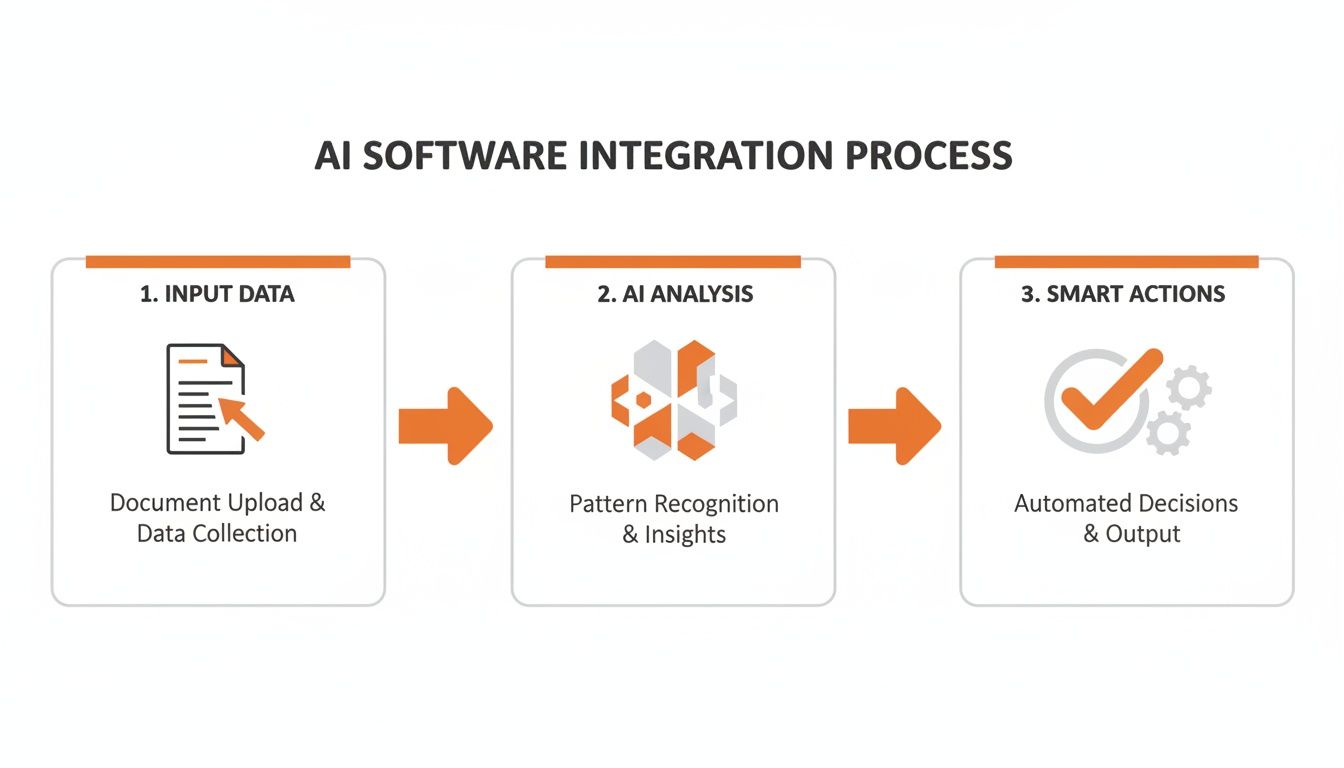
The software's real value comes from turning your raw business data into helpful outcomes with minimal manual effort on your part.
Step 5: Plan a Phased Rollout
Finally, resist the urge to launch the new software to your entire company at once. Start with a small, enthusiastic team or a single department. Let them become the champions of the new tool.
This approach creates a positive feedback loop. Once the rest of the company sees the benefits and how easily the pilot team adapted, they'll be much more eager to get on board. For those looking to build custom internal tools without extensive coding, exploring low-code and no-code platforms can be a flexible and cost-effective place to start.
Real-World Success Stories from Belgian Businesses
Theory is great, but seeing how company development software delivers tangible results is what really matters. Let's look at some genuine success stories from Belgian SMEs who put these tools to work and saw a real return on their investment.
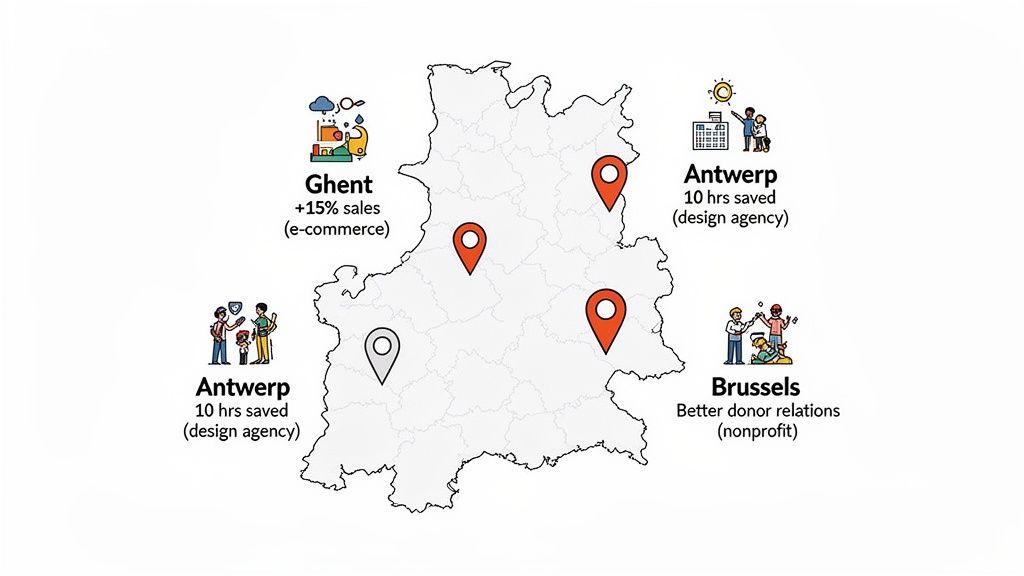
These aren't isolated anecdotes. Belgium's software development industry is a serious market, expected to hit €9.8 billion by 2025, driven by small businesses needing digital tools to work smarter. You can dig into the numbers in this full industry analysis.
Each story here pinpoints a specific problem, the software chosen to fix it, and the clear, measurable outcome that followed.
E-commerce Success in Ghent
A Ghent-based online shop selling artisanal chocolates had a classic e-commerce headache: abandoned shopping carts and few repeat customers. Their marketing felt generic and they didn't have time to manually chase every potential sale.
The Challenge: High cart abandonment and low customer lifetime value due to impersonal communication.
The Solution: They implemented a marketing automation platform. This allowed them to set up an automated email series that triggered when someone left an item in their cart, offering a gentle reminder or a small discount. They also built campaigns to re-engage past customers with offers based on previous purchases.
The Outcome: Within six months, they saw a 15% increase in overall sales, driven directly by recovering abandoned carts and increasing repeat business.
Streamlining Operations in Antwerp
An Antwerp design agency was drowning in paperwork. Juggling client feedback, tracking deadlines, and sending invoices was a chaotic mess of email chains and spreadsheets, eating into their billable creative time.
The Challenge: Wasting billable hours on administrative tasks and clunky client communication.
The Solution: They adopted a project management tool with built-in time tracking and client portals. This created one central place where clients could provide feedback, approvals were logged, and every conversation was filed by project.
The Outcome: The agency reclaimed over 10 hours per month previously lost to admin. Client satisfaction soared due to the transparent process, and invoicing became faster and more accurate.
Boosting Fundraising in Brussels
A non-profit in Brussels was managing its donor relationships with a single, unworkable spreadsheet. They were missing follow-up opportunities and their fundraising campaigns felt disconnected.
The real win wasn't just organising data; it was about building stronger, more meaningful relationships with their supporters. This is where a simple CRM can have a massive impact.
The Challenge: Ineffective donor management was leading to missed fundraising opportunities.
The Solution: They implemented a straightforward Customer Relationship Management (CRM) system designed for non-profits. The CRM allowed them to segment donors, track donation history, and automate personalized thank-you notes and campaign updates.
The Outcome: By better understanding and engaging their donors, they saw a 20% rise in recurring donations within the first year.
These Belgian businesses prove that these tools aren't just for large corporations; they are accessible, powerful assets for any SME ready to work smarter.
How to Measure Your Return on Investment
Investing in new company development software is a big step, but how do you know if it’s actually paying off? Measuring your return on investment (ROI) is about tracking simple, business-focused metrics, not drowning in technical jargon. You bought a tool to solve a problem, so you need to check if that problem is getting smaller.
Matching Metrics to Your Software
Different tools deliver value in different ways, so your tracking methods should be specific to the software you've implemented.
For Your CRM: The goal is better customer relationships and a stronger sales pipeline.
Lead Conversion Rate: Are you turning more prospects into paying customers? An increase in your
(New Customers / Total Leads) x 100calculation means your sales process is more effective.Customer Lifetime Value (CLV): Are customers staying longer and spending more? Improved CLV is a clear sign your relationship-building is working.
For Project Management Software: This is all about efficiency.
Project Completion Time: Are projects getting done faster? Track the average time from start to finish.
Reduction in Missed Deadlines: A lower number of blown deadlines means better planning and happier clients.
Simple Formulas for Clear Results
You can calculate a basic financial ROI to see the direct monetary return.
Simple ROI Formula:
(Financial Gain from Investment - Cost of Investment) / Cost of Investment x 100
For example, if your new marketing automation software costs €2,000 for the year but generated an extra €10,000 in sales, your ROI is a powerful 400%.
This process of tracking and measuring is a core part of building a data-driven business. If you're interested in going deeper, you can explore more about what business intelligence is and how it helps turn raw data into actionable insights for growth. The ultimate goal is to move from "feeling" like a tool is working to "knowing" it is, backed by clear, simple data.
Got Questions? We’ve Got Answers
Stepping into the world of company development software can feel a bit daunting. It’s natural to have questions. Here are straightforward answers to the things we hear most often from business owners just like you.
"Is this kind of software too expensive for a small start-up?"
Not anymore. The days of massive, one-off software costs are gone. Most modern tools are subscription-based (SaaS), meaning you pay an affordable monthly fee. You can often get started with a powerful tool for as little as €10-€20 per user per month.
The key is to start by solving your single biggest headache. You’ll be surprised how quickly the time saved pays for the subscription, making it a much smarter move than hiring another person.
"My team isn't very tech-savvy. How difficult is the rollout?"
This is a common worry, but great software today is built to be intuitive. You don’t need a team of tech wizards. The best approach is a phased rollout. Start with one department or a couple of enthusiastic team members who can act as champions.
Focus training on how the tool makes their specific tasks easier—less manual data entry is always a popular benefit! Pick software with great customer support. Once the rest of the team sees their colleagues saving time, they’ll be keen to get on board.
"Should I get an all-in-one suite or pick separate 'best-in-class' tools?"
For most small and medium-sized businesses, starting with individual, best-in-class tools is the way to go. It’s more budget-friendly and less overwhelming than implementing a giant system. This way, you solve your most pressing problem first without paying for a dozen features you’ll never touch.
You can get a top-tier CRM and a brilliant project management tool that are perfect for your needs, and most are built to integrate with each other. All-in-one suites are often a better fit for larger organisations with bigger budgets and more complex, company-wide processes.
