Dec 27, 2025
In today's digital marketplace, your website is more than just an online placeholder; it's a powerful engine for growth. Great website designs don't just look impressive—they attract customers, generate leads, and drive sales 24/7. Yet, for many small and medium-sized business (SME) owners, creating a high-impact site feels overwhelming. Where do you even begin?
This article cuts through the noise. We've handpicked 7 sources of exceptional website designs and will show you exactly what makes them effective. We’ll break down their layout, user experience, and conversion strategies, offering clear, jargon-free steps you can take to achieve similar results for your own business. According to Adobe, 38% of people will stop engaging with a website if the content or layout is unattractive, so getting this right directly impacts your bottom line.
Each example includes screenshots to illustrate key points. More importantly, we provide actionable takeaways and highlight practical AI tools that can help you build a site that not only looks professional but also delivers tangible business outcomes. Our goal is to help you boost your ROI without a massive time or budget investment. Let's dive in and transform your website from a simple brochure into your hardest-working employee.
1. Digifox
Digifox secures the top spot in our list of great website designs for its masterclass in clarity and user-focused design. Its website perfectly embodies its core mission: to make advanced technology like AI and web development accessible and results-driven for SMEs, startups, and nonprofits. The design avoids confusing jargon, instead using a clean layout, simple language, and a clear path for visitors to take action. It proves that a powerful site is one that communicates its value instantly.
The design succeeds because it understands its target audience: a business owner who is curious about AI but worried about the cost and complexity. The navigation is streamlined, guiding visitors from understanding "what" they do (practical AI solutions) to "how" they do it (end-to-end implementation). This is a perfect example of a great website design that serves a specific audience with precision. For a professional services firm, this is a model to follow.
Strategic Design Analysis
The Digifox website is a strong blueprint for any service-based business aiming to build trust and generate leads. Its effectiveness comes from a few key design principles.
Layout & Visual Hierarchy: The site uses plenty of white space, a simple color scheme, and a single-column layout to guide your eyes directly to the most important information. Headings are clear, and service descriptions are broken into small, easy-to-read chunks.
User Experience (UX): Getting in touch is effortless. The main call-to-action (CTA), "Get Your Free Quote," is always visible but never annoying. Key business details, like the address and VAT number, are in the footer, which builds immediate trust for local clients.
Copywriting: The language is the standout feature. It translates complex services (like AI strategy) into tangible business results (like saving time and cutting costs). This focus on ROI speaks directly to the concerns of a business owner.
Mobile Responsiveness: The design works perfectly on phones and tablets, keeping its clean structure and making sure all buttons are easy to tap. This is crucial for reaching busy entrepreneurs on the go.
Actionable Takeaways for Your Business
You can replicate the success of Digifox's great website design by focusing on clarity and building trust.
Simplify Your Message: Look at your homepage. Are you talking about your services or the results your clients get? Focus on the benefits. For example, instead of "We offer social media management," try "We help you get more customers from social media." Use simple, clear language.
Create a Clear Path to Action: Decide on the single most important thing you want visitors to do (e.g., "Request a Quote," "Book a Demo"). Make that button stand out in your header, footer, and throughout your pages.
Be Transparent to Build Trust: Don't hide your business details. Including your physical address, company registration number, and phone number on your website is a simple but powerful way to show you're a real, trustworthy business.
Gather Client Needs Efficiently: To provide a tailored quote like Digifox, you need to understand a client's specific challenges. Use a tool like Weavely.ai to build a smart form for your site. You can ask targeted questions about their goals, current problems, and budget. This automates the initial information gathering so you can have a much more productive first meeting.
2. ThemeForest (Envato Market)
While not a single website design, ThemeForest is an essential resource for small businesses and startups looking for professional, high-quality website templates. It’s one of the biggest marketplaces for themes for platforms like WordPress and Shopify, offering a massive catalog that you can filter by industry, features, and user ratings. This platform provides a fantastic starting point for building a site that incorporates principles of great website designs without the high cost of a custom build.
Strategic Analysis: Leveraging Pre-Built Excellence
ThemeForest makes great design accessible to everyone. For a small business, this means you can get a theme with built-in best practices for user experience (UX) and mobile responsiveness for a fraction of what it would cost to hire a developer to build from scratch. Many themes also come bundled with page-builder tools, allowing you to customize your site with drag-and-drop functionality, no coding required.
The concern for many business owners is buying a theme that becomes outdated or unsupported. ThemeForest addresses this by showing you when a theme was last updated and providing clear support policies from the creators, giving you peace of mind.
Actionable Takeaways for SMEs
Filter Smartly: Don't just search for your industry. Use the filters to find themes that have been recently updated, have high ratings, and boast a significant number of sales. This shows that the theme is reliable and well-supported.
Prioritize Performance: Before you buy, test the theme’s live demo using a free tool like GTmetrix or PageSpeed Insights. A beautiful website that’s slow to load will frustrate visitors and hurt your search engine rankings.
Check the Documentation: A great theme comes with great instructions. Look for detailed guides and support materials to ensure you can manage and customize the theme yourself.
Customize for Your Brand: A theme is just a starting point. Use your brand’s colors, fonts, and images to make it truly yours. This is a critical step in supercharging your marketing strategy with web design.
3. Webflow Templates Marketplace
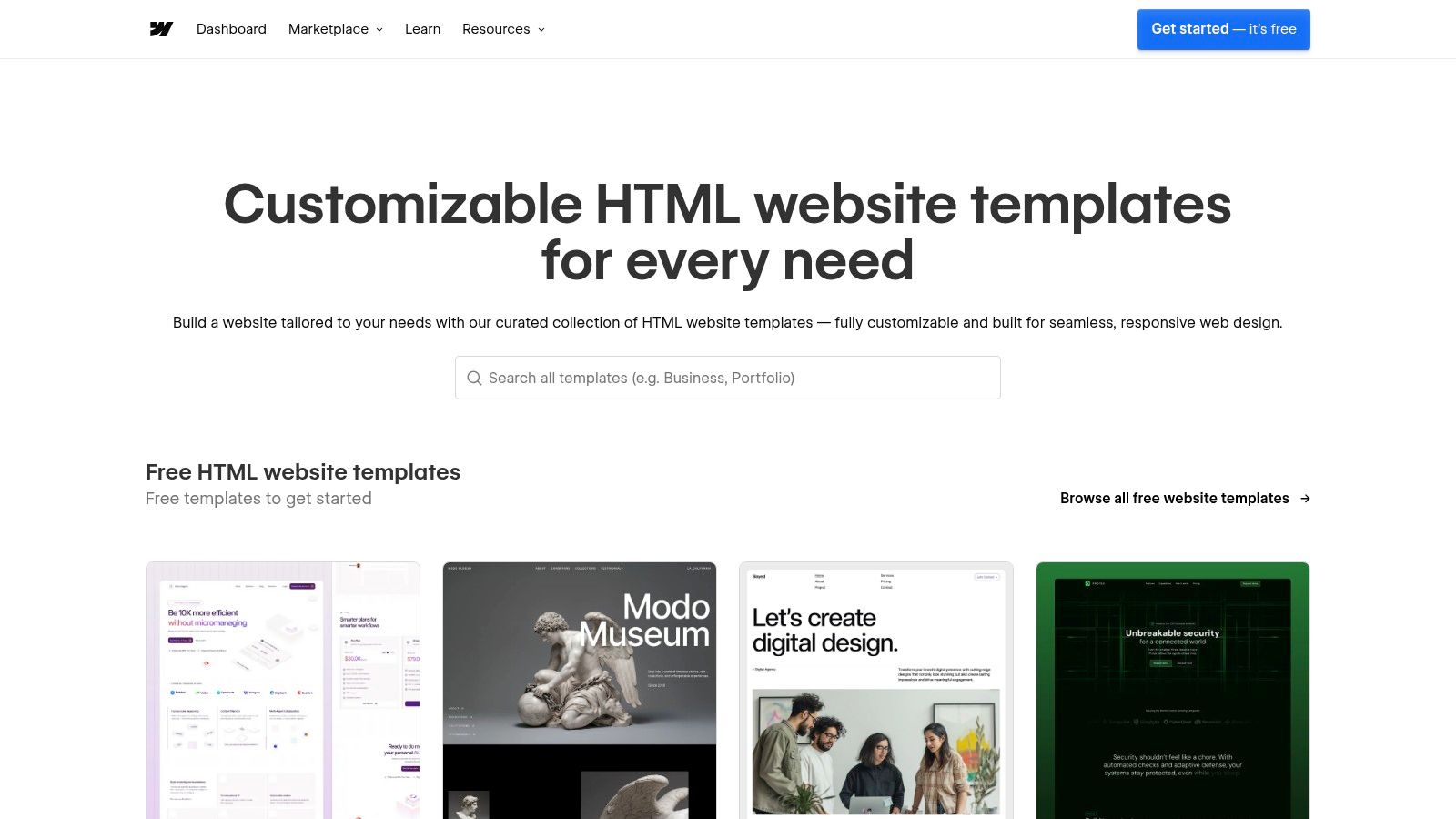
For businesses wanting more creative control than a standard template offers, the Webflow Templates Marketplace is a game-changer. It offers a curated selection of professionally designed templates built for the powerful Webflow no-code platform. This marketplace empowers SMEs to launch sites with slick animations and robust content management features, embodying the principles of great website designs with far more flexibility.
Strategic Analysis: Leveraging No-Code Power
Webflow's main advantage is its visual design interface, which gives you complete control over every element on the page—something most themes don't allow. The templates in its marketplace are built to take advantage of this, giving you a sophisticated starting point that is fully editable. For an SME, this means you can buy a high-quality template and then tweak the layout, animations, and content structure to perfectly match your brand's unique needs without hiring a developer.
This approach is perfect for SaaS companies looking to create dynamic landing pages or professional service firms wanting to showcase their portfolio with custom animations. It allows businesses to achieve a custom-coded feel and functionality at a fraction of the cost and time.
Actionable Takeaways for SMEs
Preview Interactively: Use the "Live Preview" feature to fully interact with the template before you buy. Click through the pages, test the animations, and see how it looks on your phone by resizing your browser window.
Verify Designer Credentials: Look at the template creator’s profile. A designer with a strong portfolio and positive reviews is more likely to provide a well-built and supported template.
Understand Total Cost: The template is a one-time purchase, but you'll also need a Webflow Site Plan to host your website and connect a custom domain. Factor this ongoing monthly cost into your budget.
Customise Beyond the Basics: Don't be afraid to dive into the Webflow Designer. Go beyond just changing colors and fonts—adjust the layout and interactions to make the template truly your own. If you're deciding between platforms, it's worth understanding the core differences in this Webflow vs WordPress comparison.
4. Shopify Theme Store
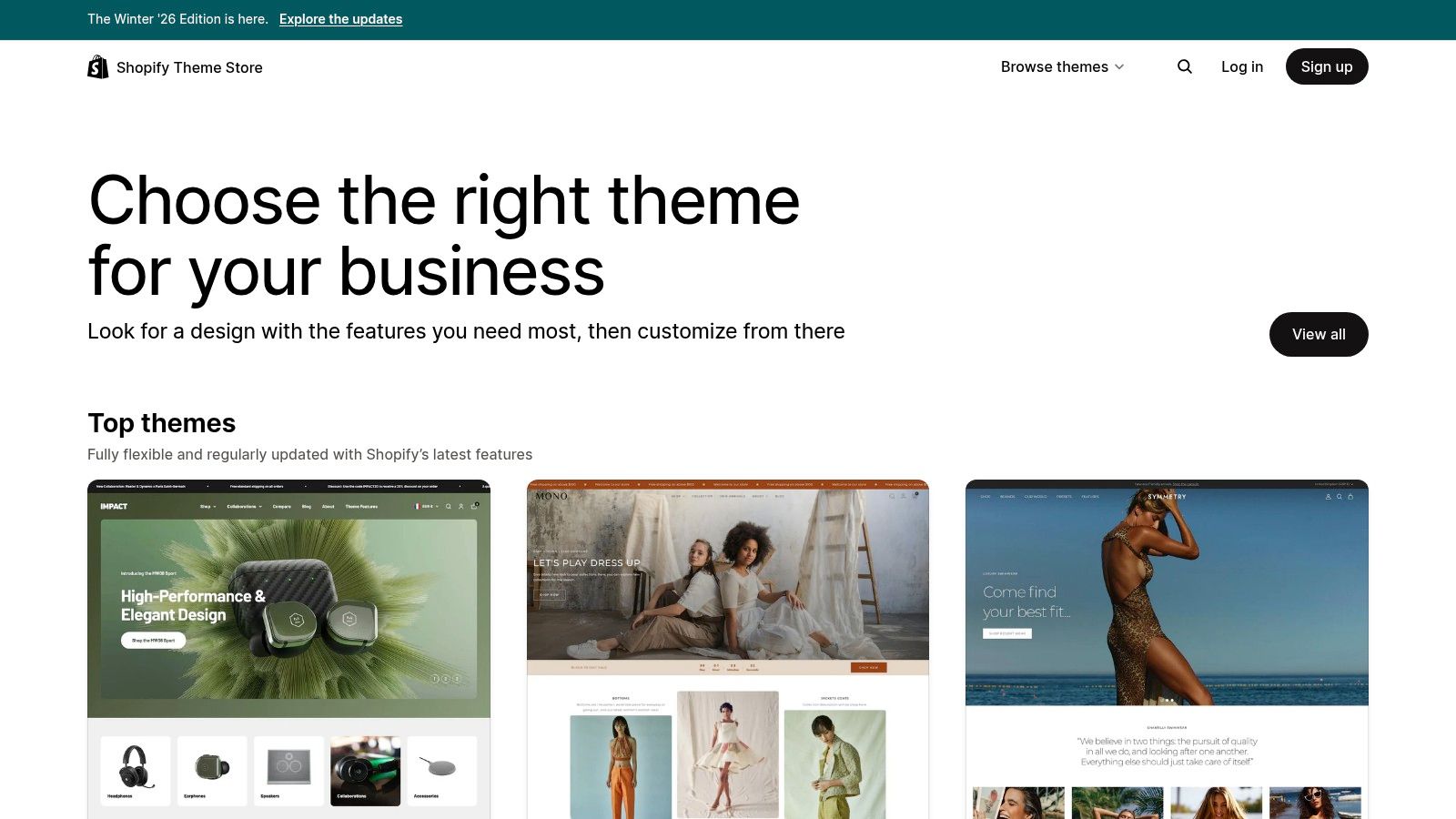
For e-commerce businesses, the Shopify Theme Store is the official, highly curated marketplace dedicated to building a high-performing online shop. Unlike other marketplaces, every theme here is purpose-built for selling products and is guaranteed to work with Shopify’s latest features. This focus ensures businesses can start with a foundation that embodies great website designs specifically for commerce, from layouts designed to increase sales to seamless payment integrations.
Strategic Analysis: Commerce-First Design Principles
The Shopify Theme Store’s strength lies in its strict quality control. Every theme is checked for performance, mobile responsiveness, and accessibility, removing the guesswork for business owners. These themes are engineered with e-commerce features built-in, such as quick-add-to-cart, product filtering, and promotional banners. This is great for a direct-to-consumer (DTC) brand that needs to get up and running quickly with a professional, trustworthy storefront.
A key advantage is the "try-before-you-buy" model. You can install any premium theme in your store, customize it with your own products and branding, and only pay when you decide to publish it. This completely de-risks the investment and ensures the final design is exactly what you need.
Actionable Takeaways for SMEs
Test Extensively Before Publishing: Use the free trial period to its fullest. Add your actual products, set up your product categories, and test the entire customer journey from browsing to checkout on both desktop and mobile.
Focus on Niche-Specific Features: Filter themes by features relevant to what you sell. Look for options like "quick view" for fashion stores, "age verifier" for restricted goods, or "in-store pickup" for local retailers.
Check for 'Online Store 2.0': Prioritize themes built for "Online Store 2.0." This Shopify framework gives you much more flexibility, allowing you to add and customize sections on all pages, not just the homepage.
Integrate Customer Feedback: After you launch, use a simple form to collect feedback on the user experience. You can easily build one with a tool and embed it on your site to ask visitors what they think, helping you make data-driven improvements.
5. WordPress.org Theme Directory
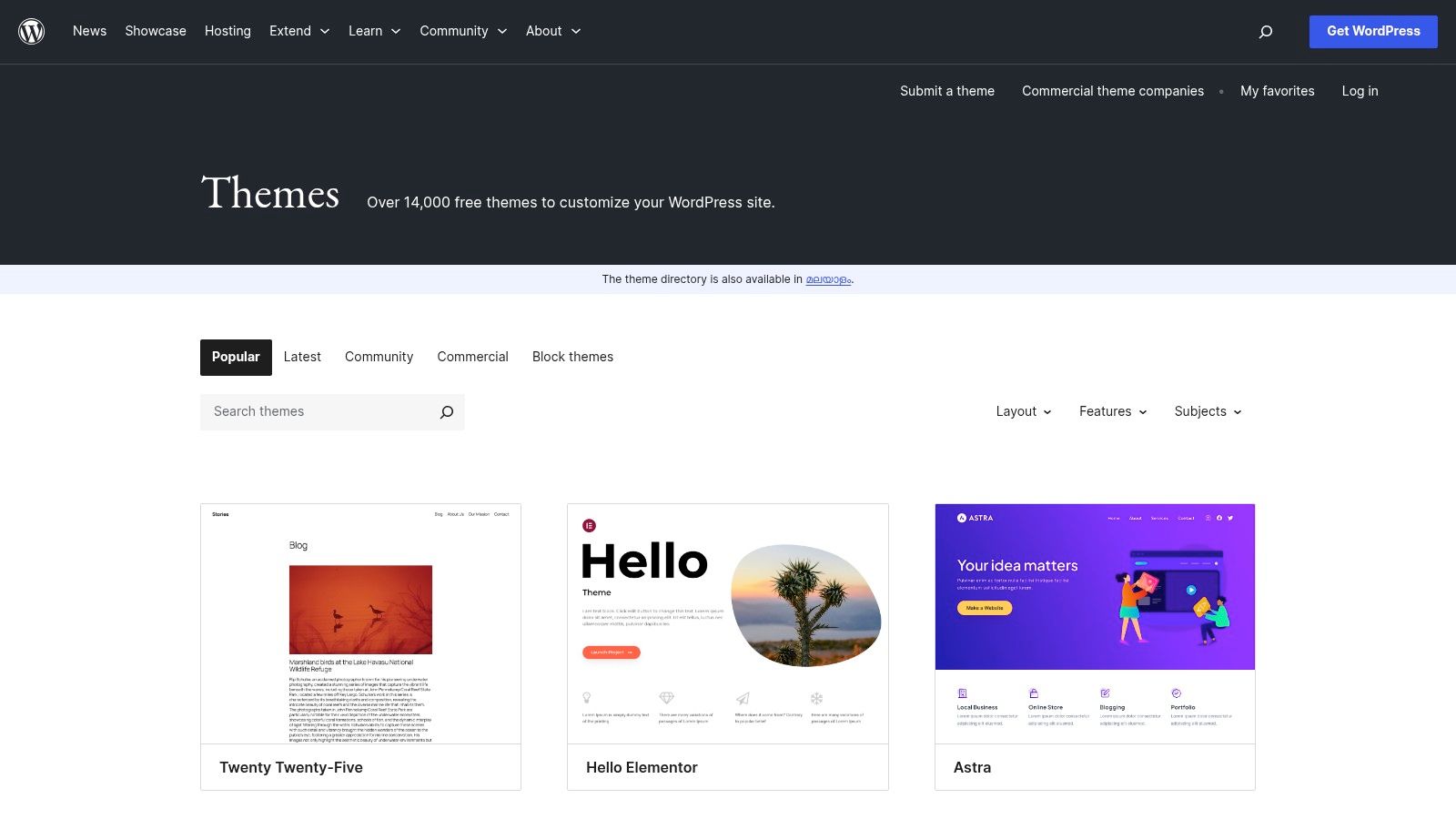
For startups, sole traders, and SMEs launching on a tight budget, the official WordPress.org Theme Directory is an incredible resource. It hosts thousands of free, open-source themes that have passed a basic review process, providing a no-cost foundation for a professional website. This directory is the first stop for anyone building a site with the world's most popular CMS, offering a direct, secure way to find a design that aligns with the principles of great website designs.
Strategic Analysis: The Power of Open-Source Foundations
The WordPress.org Theme Directory removes the initial cost barrier of a professional design. Many popular themes like Astra, Neve, or Kadence offer a highly functional free version with the option to upgrade to a Pro version later for more advanced features. This "grow-as-you-go" approach is perfect for SMEs that need to manage cash flow carefully. You can launch your website quickly and gather user feedback without a big financial risk.
The main concern with "free" is often quality or security. However, because these themes are vetted by a review team, they meet basic coding and security standards, providing a level of trust you won't find elsewhere.
Actionable Takeaways for SMEs
Use the Feature Filter: The directory’s strength is its filtering system. You can search for themes based on specific needs like "e-commerce," "blog," or "one-page" layouts. This helps you narrow down the huge selection to find a theme built for your purpose.
Check "Last Updated" and Active Installs: Give priority to themes that have been updated recently and have a high number of active installations. This is a strong sign that the theme is well-maintained, reliable, and popular.
Review Ratings and Support Forums: Look at the user ratings and browse the theme’s support forum. Seeing how the developer responds to user issues gives you a clear idea of the support you can expect if you run into trouble.
Plan for Brand Customisation: A free theme is a blank canvas. Be prepared to apply your own branding, including your logo, brand colors, and fonts. The WordPress Customizer lets you make many of these changes live, without needing to touch any code.
6. Creative Market
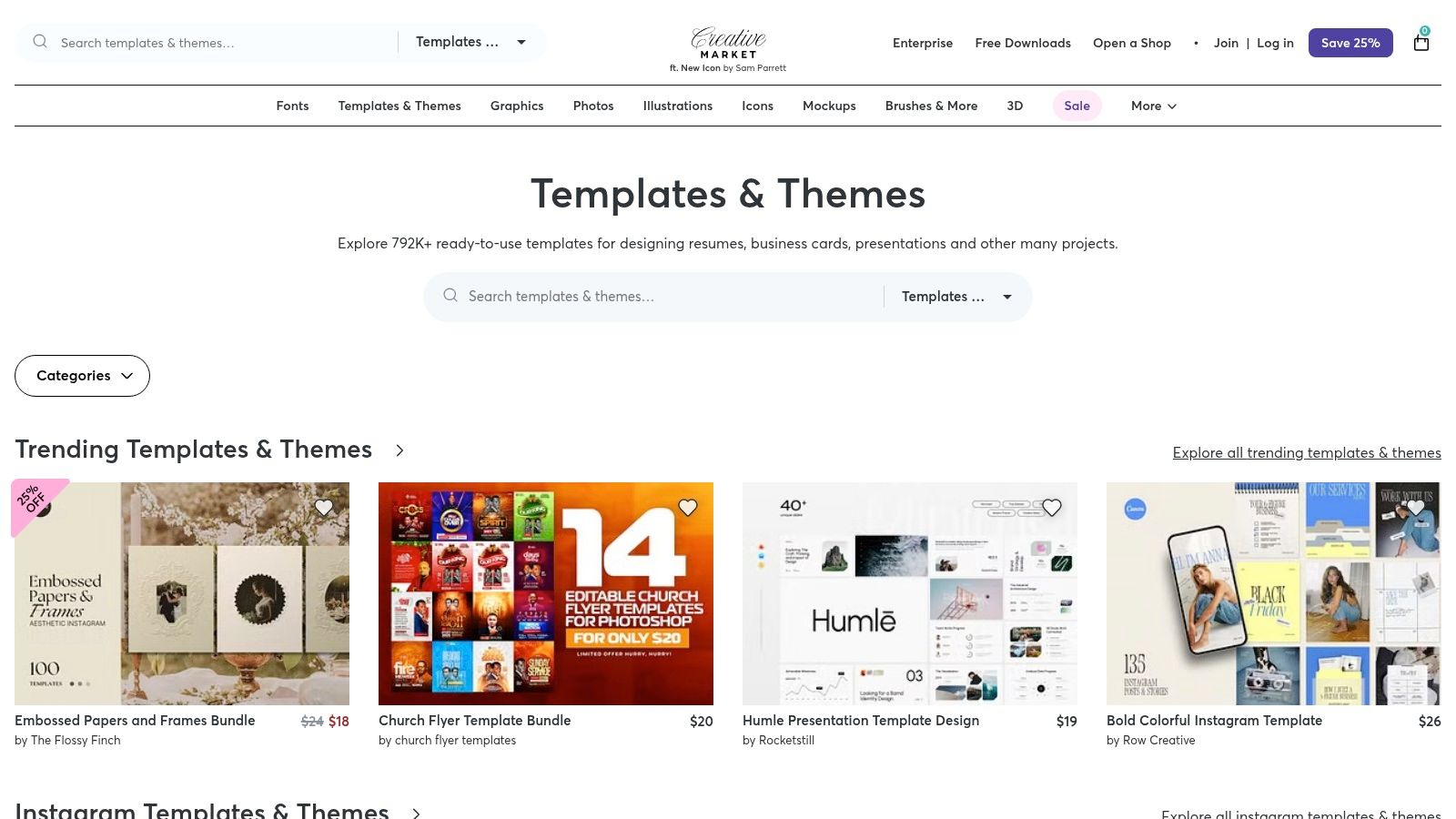
Creative Market is another essential marketplace, but its value goes beyond just website themes. It’s a hub for independent creators offering a full suite of design assets, including website templates, UI kits, fonts, graphics, and mockups. For a small business, this platform is a one-stop-shop for building a cohesive brand identity alongside your website, ensuring everything from your logo to your site’s buttons feels connected. This holistic approach makes it a standout choice for crafting great website designs from the ground up.
Strategic Analysis: Building a Cohesive Brand Ecosystem
Creative Market’s strength lies in its ecosystem of complementary assets. An SME can buy a WordPress theme and, at the same time, find a matching font family, a set of custom icons, and social media templates. This allows for a level of brand consistency that is often difficult and expensive to achieve. By sourcing everything from one place, you ensure a unified look across all your marketing channels.
The platform operates on a one-off purchase model, which is ideal for businesses managing tight budgets. Clear licensing terms remove any confusion, and transparent pricing simplifies accounting so there are no hidden costs.
Actionable Takeaways for SMEs
Bundle Your Buys: When you find a theme you like, check out the creator’s other assets. They often design entire collections that work together seamlessly, saving you time and ensuring a consistent look.
Verify Creator Reputation: Quality can vary, so always check a seller’s reviews, number of sales, and how recently their products were updated. A well-supported product from a reputable creator is a much safer investment.
Look Beyond Themes: Use Creative Market to find high-quality mockups to showcase your products or services on your new website. Professional mockups can significantly elevate your site's perceived quality.
Plan for Currency Conversion: Prices are in USD, so if you're outside the US, remember to account for currency conversion rates when budgeting for your purchases.
7. Awwwards
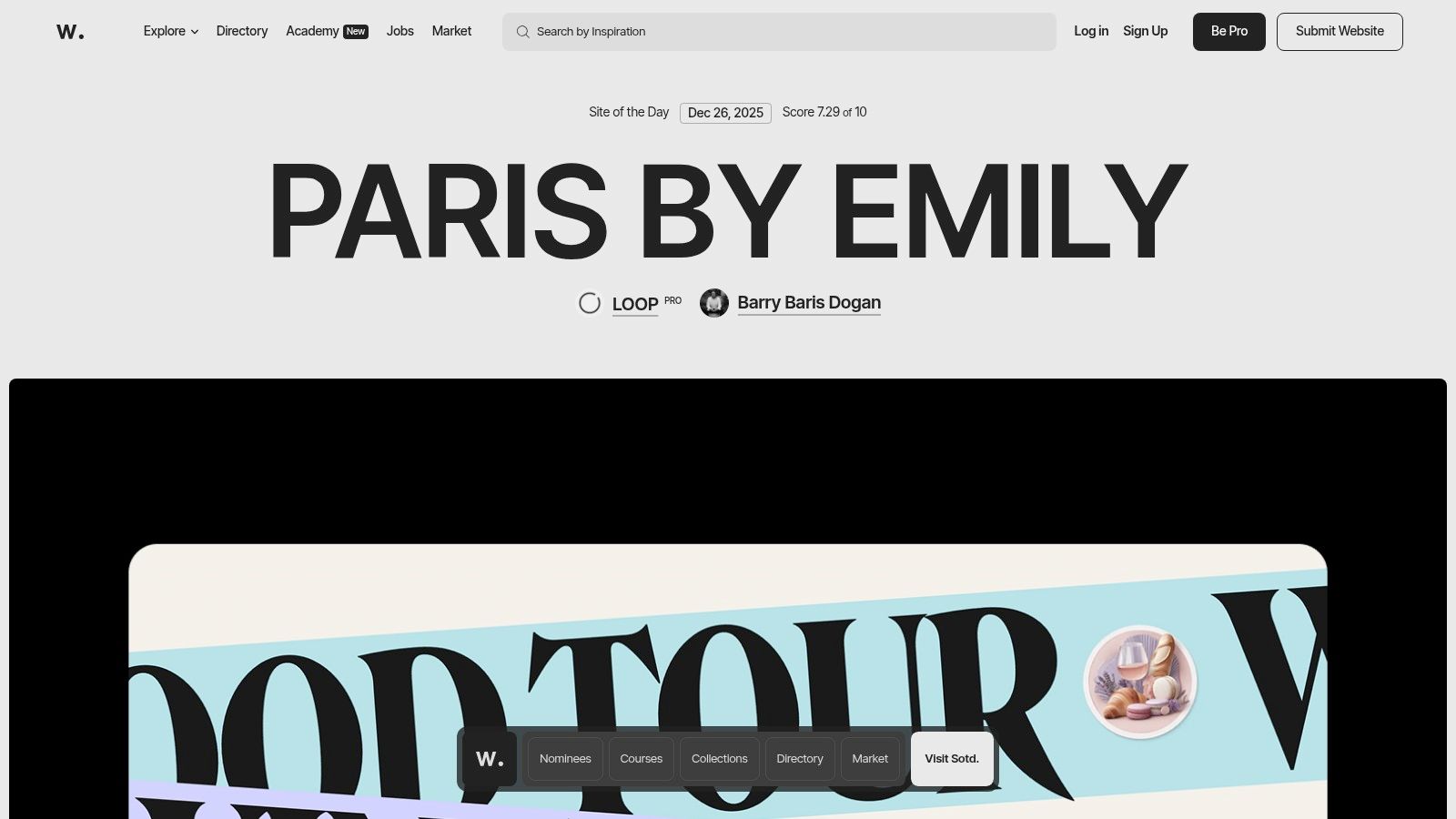
For businesses that want to see what's possible at the highest level of web design, Awwwards is the ultimate digital gallery. It’s an international awards body that recognizes the world’s best web designers and agencies. Browsing the winners is like a masterclass in creativity, innovation, and technical skill, making it an essential resource for inspiration before you start your project.
Strategic Analysis: Benchmarking Against the Best
Awwwards is more than just a place to find cool ideas; it's a strategic tool. By exploring winning sites, SMEs can identify current trends and gather real examples to create a design brief for their own agency or developer. You can filter by industry, technology (like Webflow or Shopify), and specific design elements, ensuring the inspiration is relevant to your business goals.
For example, a boutique hotel could filter for "Hospitality" sites to see how top brands are using immersive video and online booking systems to create an amazing user experience. This helps you have a much more informed conversation with a designer about what you want to achieve. For more visual inspiration, you can also explore these top examples of good design.
Actionable Takeaways for SMEs
Create a Mood Board: Before you talk to a designer, save 5-10 Awwwards sites you love. For each one, write down exactly what you like: the navigation, the colors, the typography, or the interactive elements. This will help you communicate your vision clearly.
Analyse User Journeys: Don’t just look at the homepages. Click through the winning websites and see how they guide you from one page to the next. How do they encourage you to take action? This is a core part of understanding UX and UI design fundamentals.
Discover Potential Partners: Use the Awwwards Directory to find and research top-tier agencies or freelancers. Their profiles showcase past awards and portfolios, giving you confidence in their skills.
Identify Trends, Don't Blindly Copy: Notice recurring trends like bold typography or 3D elements. Use these ideas to inform your design, but make sure the final result is unique to your brand and serves your audience's needs.
Awwwards equips you with the knowledge to commission a truly exceptional website, ensuring your investment delivers a powerful, trend-aware digital presence.
Top 7 Website Design Platforms Comparison
Option | Implementation complexity 🔄 | Resource needs ⚡ | Expected outcomes ⭐ / 📊 | Ideal use cases 💡 | Key advantages |
|---|---|---|---|---|---|
Digifox | Medium–High — discovery, custom integration and training required 🔄 | Moderate budget and time for bespoke engagement; team training included ⚡ | High targeted ROI and workflow automation; measurable productivity gains ⭐📊 | SMEs/startups in Belgium needing end‑to‑end AI + web integration 💡 | Hands‑on consultancy + implementation + training; local, tailored approach |
ThemeForest (Envato Market) | Low–Medium — buy & customize themes; varies by seller 🔄 | Low upfront cost for theme; developer/time for customization ⚡ | Variable quality; can deliver fast site launches if vetted ⭐/📊 | SMB landing pages, portfolios, varied CMS sites 💡 | Extremely broad catalog, changelogs and author support windows |
Webflow Templates Marketplace | Low — plug‑and‑play with Webflow workflow; some learning curve 🔄 | Requires Webflow site/ecommerce plan (ongoing cost); designer time ⚡ | Polished, responsive sites with animations and CMS — fast go‑live ⭐📊 | SMEs wanting designer‑grade sites with built‑in CMS/animation 💡 | Curated templates, transparent hosting/pricing, strong designer ecosystem |
Shopify Theme Store | Low — try‑before‑buy and integrated theme setup 🔄 | Shopify plan required; theme pricing varies (one‑time) ⚡ | Commerce‑ready storefronts with performance/accessibility guarantees ⭐📊 | Online stores on Shopify that need seamless commerce features 💡 | Themes updated for Shopify features; deep commerce integrations |
WordPress.org Theme Directory | Low — direct install from WP admin; may need plugins/custom work 🔄 | Minimal licensing cost; likely developer/plugins for advanced features ⚡ | Cost‑effective MVPs; quality varies and may need add‑ons ⭐/📊 | Budget launches, prototyping, community‑driven sites 💡 | Free themes, easy install/updates, wide community vetting |
Creative Market | Low — purchase assets/templates and integrate as needed 🔄 | One‑off purchases; may need design/dev time to assemble assets ⚡ | Access to templates + brand assets for cohesive design outcomes ⭐📊 | Projects needing themes plus UI kits, fonts, mockups in one place 💡 | Wide range of design assets, clear licensing, perpetual file access |
Awwwards | Low (browse) — high if commissioning agencies or submitting 🔄 | Mostly free research; paid membership/submission options for pros ⚡ | Inspiration and high‑quality benchmarks rather than ready templates ⭐📊 | Research, trend‑setting inspiration, agency discovery and briefs 💡 | Curated, juried examples; educational content and agency directory |
From Inspiration to Implementation: Your Next Steps
We've explored a variety of platforms and marketplaces, each offering a unique path to achieving a great website design. From the custom, strategy-first approach of a consultancy like Digifox to the vast libraries of ready-to-use templates on ThemeForest and Webflow, a clear pattern emerges: the most effective websites are not just digital brochures; they are tools built to serve specific user needs and achieve clear business goals.
The main lesson is that excellent design is within your reach. Whether you're a startup, a local non-profit, or an established SME, the tools and inspiration are available. The key is to shift your focus from simply "looking good" to performing effectively. A successful design is a strategic mix of easy navigation, persuasive language, clear calls-to-action, and perfect performance on all devices.
Your Action Plan for a High-Performing Website
So, what's next? The path from an idea to a live, lead-generating website can feel intimidating, but breaking it down into manageable steps makes it achievable.
Define Your Primary Goal: Before you look at a single color or font, decide on the number one action you want a visitor to take. Is it to book a demo? Buy a product? Sign up for a newsletter? This one decision will guide every other choice you make.
Understand Your Audience Deeply: Who are you trying to reach? What are their biggest problems? What information do they need to make a decision? If you're not sure, don't guess. You can use a tool like Weavely.ai to build a simple, interactive survey and get crucial feedback directly from your target customers before you spend a dime on development.
Choose the Right Platform for Your Needs:
For ultimate customization and scalability: Platforms like Webflow (using its template marketplace) offer incredible design freedom without needing to code.
For e-commerce businesses: The Shopify Theme Store is the clear leader, providing robust, sales-focused designs.
For content-heavy sites and blogs: The WordPress.org Theme Directory is a powerhouse, offering unmatched flexibility and a huge ecosystem of plugins.
Embrace Modern Tools and Trends: The digital world is always changing. As you plan your project, it’s smart to stay informed about the UX/UI innovations shaping tomorrow's web to ensure your new site feels current and engaging. Leveraging AI-powered copywriting tools like Jasper or Copy.ai can also help you quickly write compelling headlines and product descriptions, overcoming one of the biggest roadblocks in any web project.
Ultimately, the best website designs are those that get the job done. They connect with the visitor, solve a problem, and guide them smoothly toward a goal. The examples and tools we’ve explored provide the blueprint. Now it’s your turn to take these insights, apply them to your unique business, and build a digital presence that not only looks great but drives real, measurable growth. The most important step is the one you take next.
